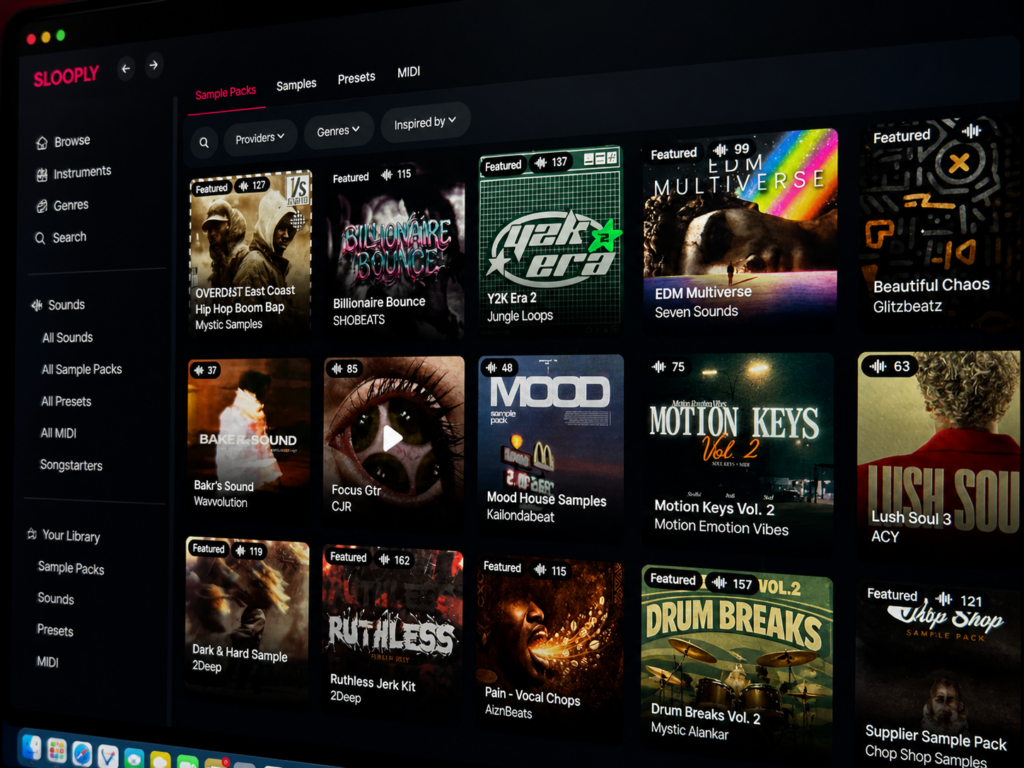
Audio platform Slooply has launched a desktop application alongside its Bridge VST plugin, introducing a more efficient way for producers to work with samples inside their DAW. The release focuses on reducing workflow friction by combining sound discovery, preview, and integration into a single, connected environment.With real-time synchronization between the desktop app and the DAW, users can audition sounds matched to their project’s tempo and key, drag and drop elements instantly, and hear exactly how they fit before committing. The result is a faster, more intuitive production process.
A More Connected Workflow
Traditional sample-based production often requires switching between multiple tools, browsing sounds online, downloading files, organizing folders, and importing them into a project. These steps can interrupt creative flow and slow down decision-making.
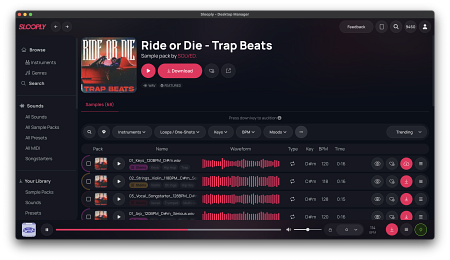
Slooply addresses this by bringing all key steps into one place. Through the desktop app, users can browse, preview, and send sounds directly into their DAW without leaving the environment, creating a more seamless workflow.
Desktop App Enhances Sound Management
The Slooply Desktop App provides a structured interface designed for modern production needs. In addition to audio samples, users can explore MIDI files and presets, expanding creative possibilities beyond standard loops.
Features such as collections and favorites allow producers to organize their libraries more effectively, while direct drag-and-drop functionality enables instant use of sounds inside a project. This reduces the need for manual file handling and keeps the process focused on creativity.
AI Search Simplifies Discovery
Finding the right sound can be a time-consuming task, especially for users unfamiliar with technical terminology.
Slooply integrates an AI-powered search system that allows users to describe sounds in natural language. Queries like “emotional piano,” “dark trap melody,” or “ambient textures” can be used to locate relevant results quickly.
This approach makes the platform more accessible and aligns the search process with how creators think about sound.
Real-Time DAW Integration with Bridge VST
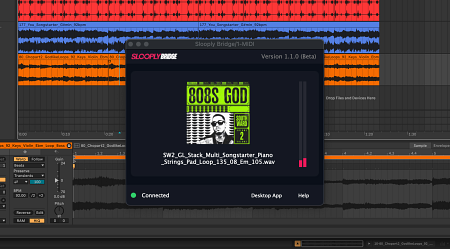
The Bridge VST plugin connects the Slooply Desktop App directly with the DAW, enabling real-time communication between both environments.
Once active, the plugin synchronizes tempo and key, ensuring that all previewed sounds match the project. This allows producers to hear samples in context before using them, reducing the need for manual adjustments.
Additionally, sounds can be transferred into the DAW exactly as previewed, maintaining consistency between auditioning and production.
Broad Compatibility Across Platforms
The Slooply Desktop App is available for macOS and Windows, supporting a wide range of production setups. The Bridge VST integrates with popular DAWs such as FL Studio, Ableton Live, Logic Pro, and Cubase.
This ensures that producers can incorporate Slooply into their existing workflow without changing their preferred tools.
Availability
The Slooply Desktop App and Bridge VST plugin are now available.
Users can download the app, install the plugin, and begin working with samples directly inside their DAW for a more efficient production experience.